


How to Add Google Analytics to Next.js

Step 1: Install the Package
To get started, you'll need to install the "nextjs-google-analytics" package into your Next.js application using npm or yarn. You can do this by running the following command
1 | npm i nextjs-google-analytics
Step 2: Add the Google Analytics Component
Add the Google Analytics component to your _app.js, if it is not created in your Next.js project, just create it under "pages" folder "pages"_app.js
1 | import { GoogleAnalytics } from "nextjs-google-analytics";2 |3 | export default function App({ Component, pageProps }) {4 | return (5 | <GoogleAnalytics trackPageViews />6 | <Component {...pageProps} />7 | );8 | }
Step 3: Get your Google Analytics Measurement ID
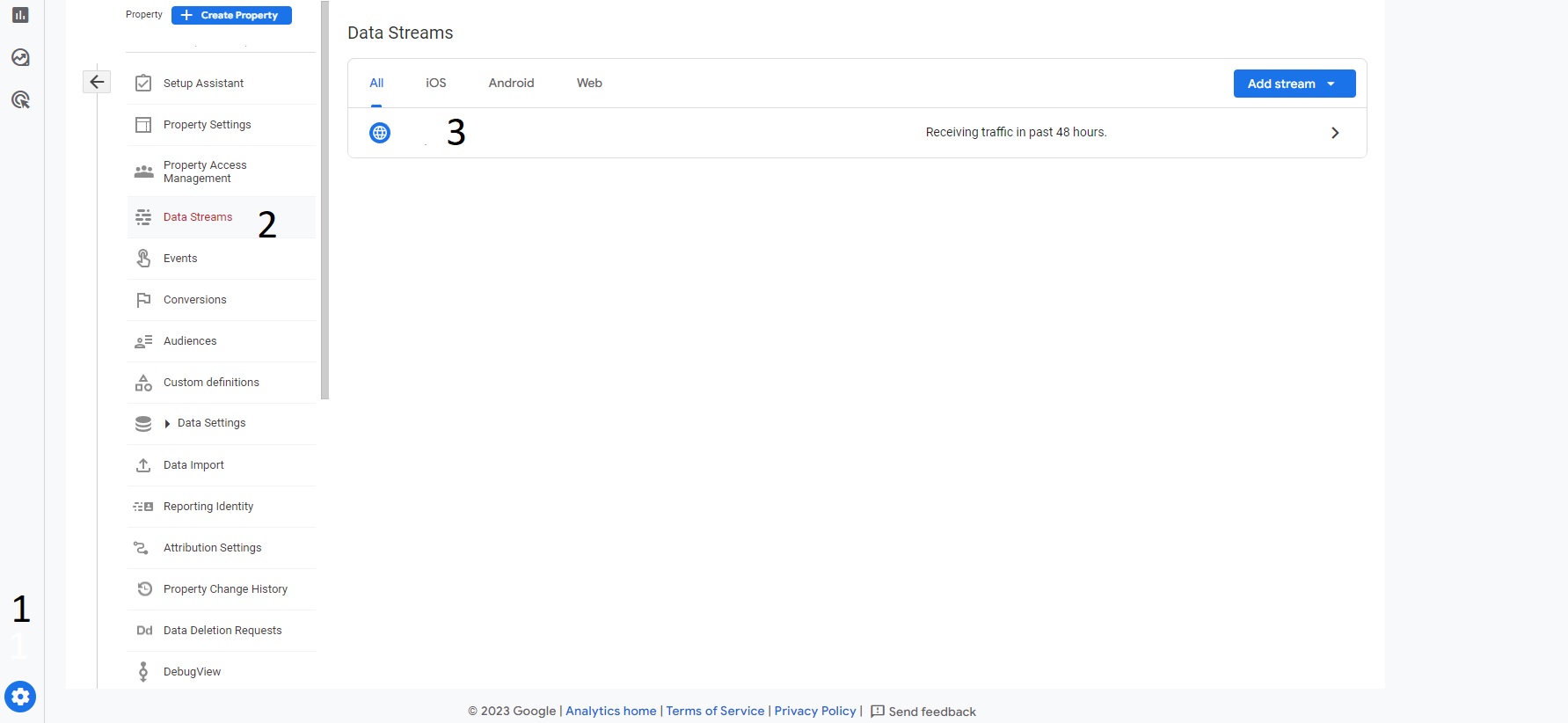
To get your Google Analytics measurement ID, you need to create a Google Analytics account on https://analytics.google.com/ and set up a property for your website. Once you've done that, you can find your measurement ID by clicking on the "Admin" button in the bottom left corner of your Google Analytics dashboard, selecting the appropriate account and property, and then clicking on the "Data Streams" tab and after that click on your domain. Your measurement ID will be displayed at the top right of the page called MEASUREMENT ID
Step 4: Add the Google Analytics Measurement ID to your Environment
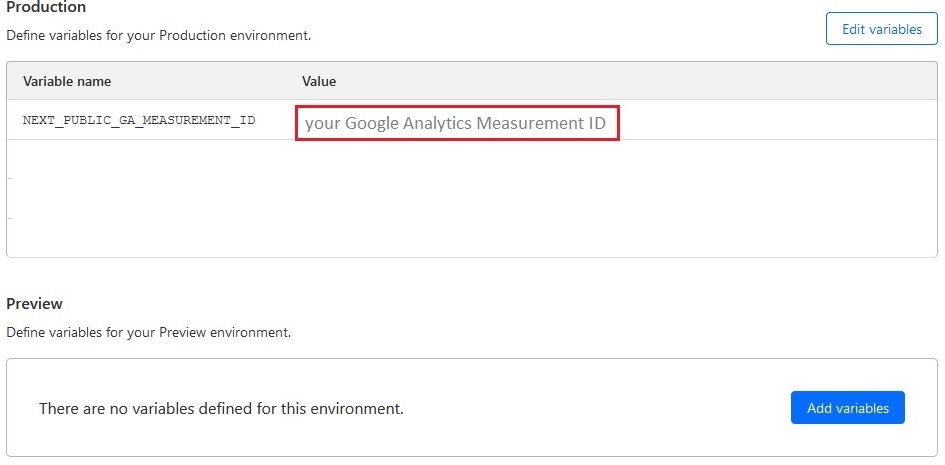
Now, you can set the Google Analytics measurement id by setting it on the NEXT_PUBLIC_GA_MEASUREMENT_ID environment variable or using the gaMeasurementId prop of the GoogleAnalytics Component. If both are set, the environment variable will override the prop.
If you are using Cloudflare Pages to build and publish your blog, you can set the Google Analytics Measurement ID using the Cloudflare enviroment variables.
Step 5: Check Your Google Analytics Dashboard
Finally, head to your Google Analytics dashboard to see your website's performance data. You should be able to see real-time data, user behavior, and other valuable insights.
In conclusion, integrating Google Analytics with the "nextjs-google-analytics" package for your Next.js application is relatively easy and provides valuable insights into your website's performance. With these steps, you'll be able to track user behavior, measure the effectiveness of marketing campaigns, and make data-driven decisions to improve your website's performance.